
Perfect spreadsheet columns, instant Lorry Receipts
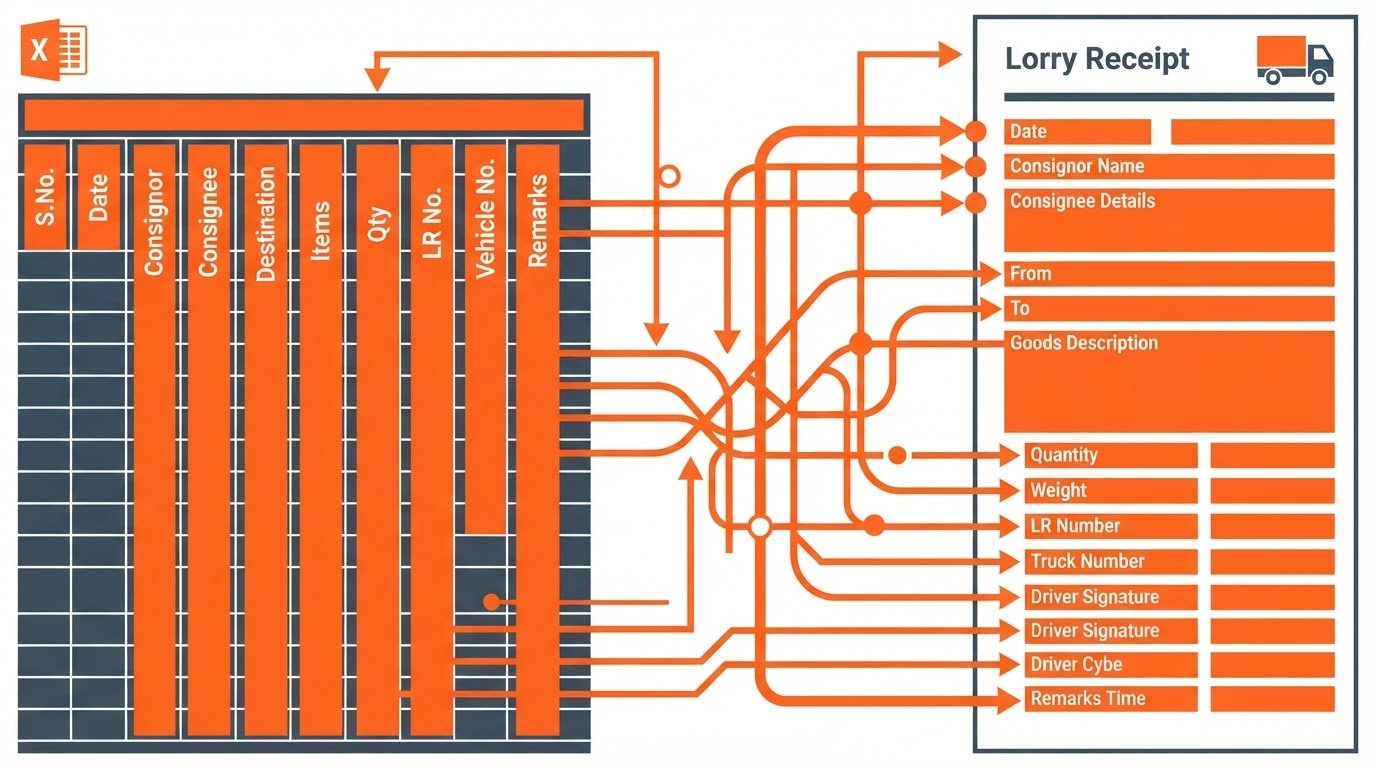
Map your custom Excel columns to standard transport layouts in seconds. Use our pre-configured template to bypass mapping entirely and generate print-ready PDFs instantly.
How to map columns
Download the template
Align custom headers
Upload and generate
Start with our pre-formatted spreadsheet containing standard dispatch headers to skip manual column alignment entirely tonight.
Ensure your custom columns for consignor, consignee, and weight match our simple naming rules for automatic parsing.
Drop your completed file into the generator to instantly download a zip archive of clean, print-ready PDFs.
Required column headers
Consignor fields
Consignee fields
Cargo details
Label your sender columns as Consignor Name, Consignor Address, and Consignor GSTIN. These map directly to the top-left quadrant of your printed Lorry Receipt.
Use Consignee Name, Consignee Address, and Delivery Destination. Accurate destination names prevent routing errors during bulk PDF generation.
Define your items using No of Packages, Description of Goods, and Charged Weight. Multi-item shipments should occupy consecutive rows with matching LR numbers.
Frequently asked questions
What if columns are missing?
Which date formats work?
Our intelligent parser flags missing critical fields before generation. You can map custom columns manually on the upload screen if headers do not match.
We support standard DD/MM/YYYY and YYYY-MM-DD formats. The parser automatically standardizes all dates to the compliant transport format.
Are multi-item rows supported?
Is there a file size limit?
Yes. Group multiple cargo items under the same Lorry Receipt number on consecutive rows. The system merges them into a single print-ready document.
You can upload spreadsheets with up to one thousand dispatch rows per batch. Larger manifests should be split into multiple files for optimal speed.
Ready to format your data?
Download our pre-configured template to ensure error-free Lorry Receipt generation on your very next dispatch shift.
LR Rapid
Drop your Excel. Get your Lorry Receipts.
Generator-How to Format-Pricing
© 2026 LR Rapid-Built for late-night dispatch shifts.
ZERO-SETUP DISPATCH UTILITY